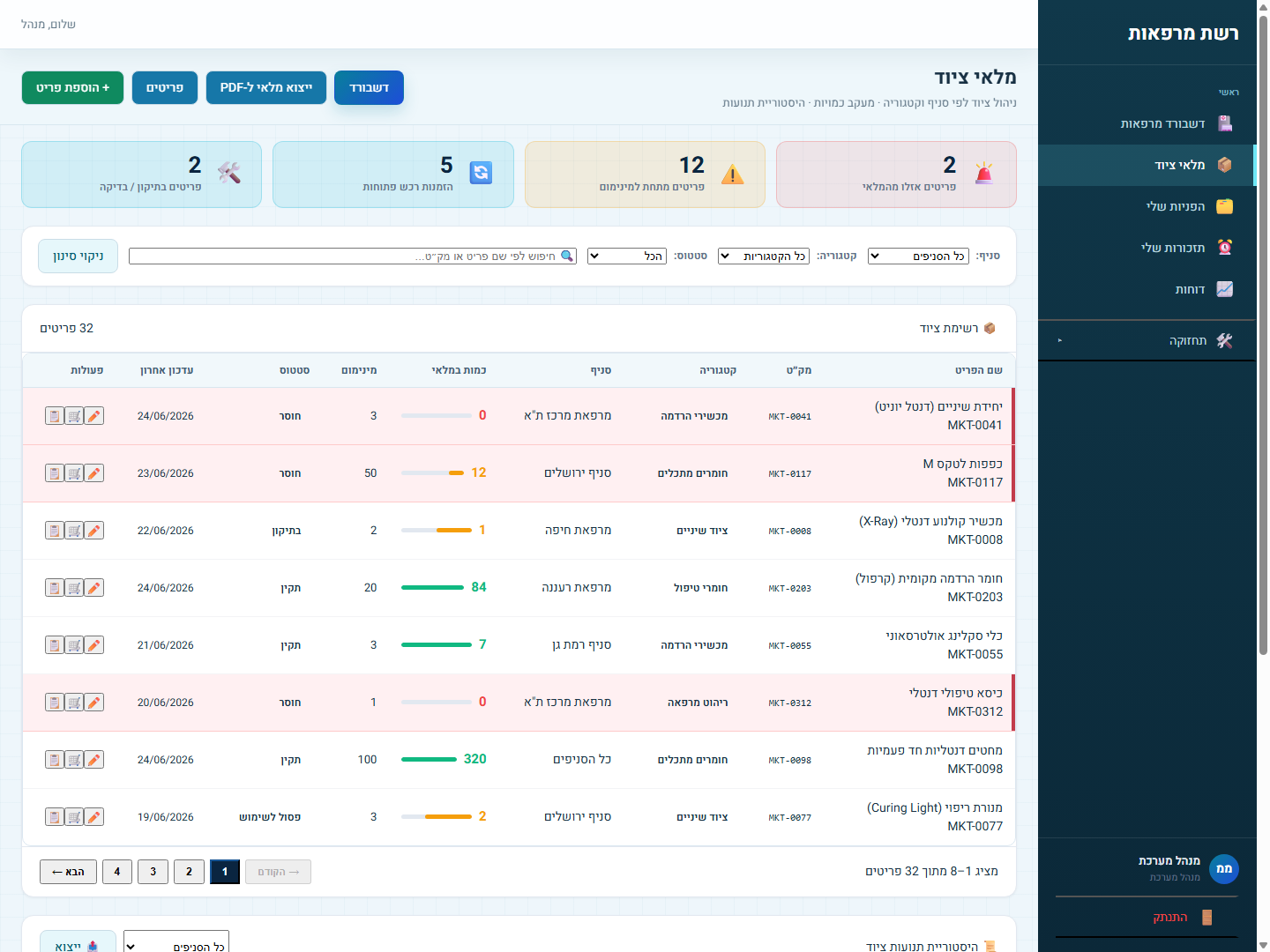
Equipment inventory by branch
Inventory management by branch, category and SKU, with minimum-level alerts and one-click PDF export.
We built a fully Hebrew system for managing equipment, faults and maintenance across a multi-branch clinic network. Instead of an Excel file per branch and a WhatsApp group with the technician, the whole network gets a live picture of every piece of equipment, every fault and every maintenance reminder - across all branches, in real time.
overview
A clinic network maintains dozens of critical equipment items at each branch - devices, consumables and treatment gear. When every branch runs its own Excel file and coordinates repairs over WhatsApp with the technician, no one really knows what is working, what is missing and who already handled what.
Management wanted one place, in Hebrew, that brings together all the equipment, faults and maintenance across every branch - with role-based permissions, so each branch manager sees only what is relevant to them.
the solution
A fully Hebrew system for a clinic network - equipment inventory, faults, maintenance, suppliers and reports on one screen that all branches see at the same time.
Inventory management by branch, category and SKU, with minimum-level alerts and one-click PDF export.
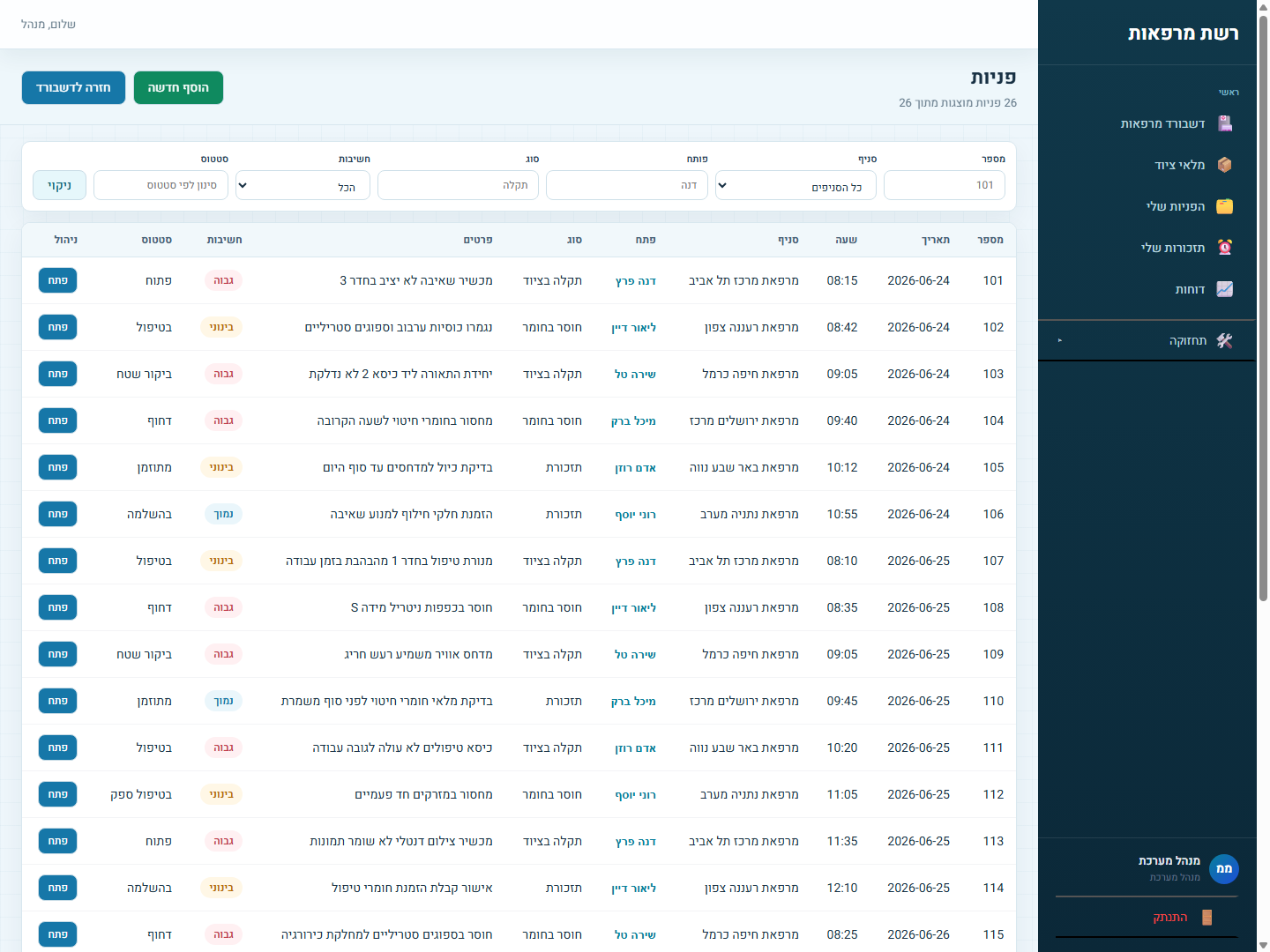
Open a ticket by type and severity, and track its status from "open" all the way to "completed" - with a response time for each fault type.
Automatic reminders for calibration, periodic checks and parts ordering - before it turns into an urgent fault.
A card for every branch and every technician, with equipment scope, shift and role-based access permissions.
Supplier details and lead time for every part, so you know exactly how long it will take to restock a missing item.
A ticket report and an inventory status report by date range, with PDF export for saving and sharing.
the system
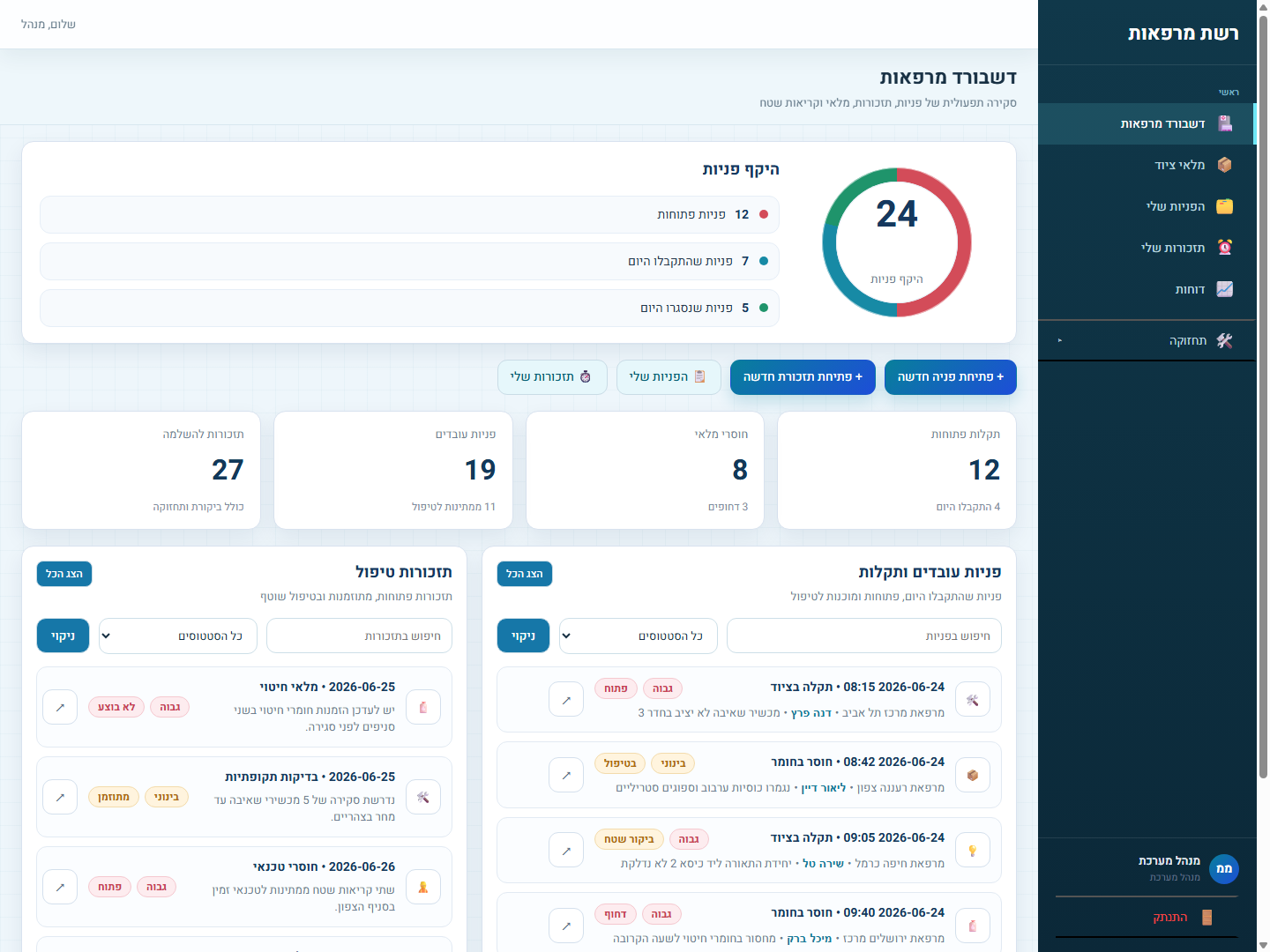
Real screenshots from the system we built - the network dashboard, equipment inventory and ticket management, all in full right-to-left Hebrew.
results
Instead of an Excel file per branch and WhatsApp with the technician - one live picture, with faults that never slip through the cracks.
Calibration reminders and minimum-stock alerts prevent faults before they stop treatment at a branch.
All the equipment, faults and maintenance across every branch on one screen, in real time.
Instead of a file per branch - a single source of truth, with role-based permissions.
our approach
We sit with management and with the branch teams, understand how equipment and faults are really handled on the ground, and build a simple system they will want to use every day.
We sit with the team and map the real flow of information - who does what, when, and where things get stuck.
We pinpoint exactly where errors, duplication and delays occur - that is where the biggest value is.
We build the system around your process, module after module, with testing every step of the way.
We go live, train the team, and stay available after launch for ongoing improvement and expansion.