inventory systems

An inventory management system that always knows what you have

Inaccurate inventory costs money - in needless orders, in shortages in front of customers, and in endless stock counts. We build an inventory system that shows in real time what came in, what went out, and what's left.
Full support from zero to go-live Warranty and support after launch Boutique software house since 1995
Custom inventory management system – OLSI Systems

overview

Know exactly what's in stock, at any moment

When inventory is managed in Excel or in your head, there's always a gap between what's recorded and what's on the shelf. The result: you order what you don't need, get stuck without what you do, and waste days on manual counts.

We build a system that tracks every item from the moment it comes in until it goes out - including suppliers, orders, low-stock alerts, and reports. Everything updates in real time, so you make decisions based on real numbers.

what it is

What is a custom inventory management system?

Accurate inventory management is an inseparable part of the daily operation of businesses, factories, warehouses and companies that handle products, equipment or raw materials. When the data is scattered across Excel files, different systems and manual records, it is hard to keep an up-to-date picture and to prevent shortages, surpluses and ordering mistakes. At OLSI Systems we specialize in custom inventory management system development, tailored to the nature of the activity and the work processes of each organization. Instead of fitting your business to off-the-shelf software, we develop inventory software that fits your needs, integrates with your existing systems and gives you better control over stock and the processes around it. An inventory management system is a software solution that lets you track items, quantities, stock movements, orders and suppliers, and centralize the information in one place. That said, not every business manages inventory the same way. A manufacturing plant needs to track raw materials and components, a trading company manages products and orders, and an organization with several branches may need to track equipment and stock across different locations. Custom inventory software development makes it possible to build a system around the processes that already exist in the organization, to define dedicated functions and to add capabilities that are not necessarily available in off-the-shelf products. The result is a system matched to the way the business works today, which can be expanded and upgraded as future needs arise.

what's included

What's included in the inventory management system?

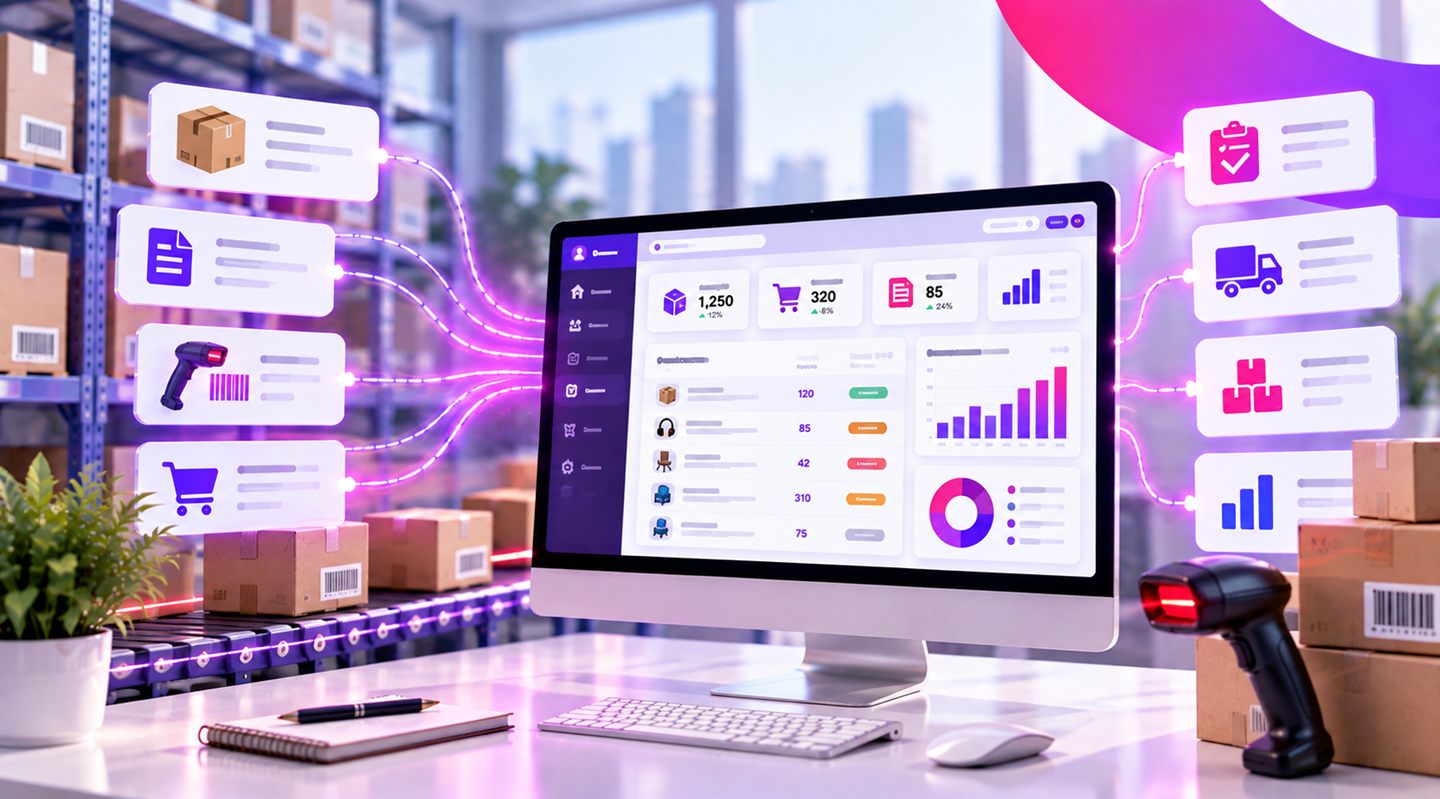
Full control over every item, from the moment it enters the warehouse until it ships to the customer.

Real-time inventory tracking

Every entry and exit updates instantly, with no gap between the record and the warehouse.

Supplier and order management

You know who to order from, when, and how much, all logged in one place.

Low-stock alerts

The system warns you before you run out, so you never get stuck in front of a customer.

Barcode and scanning

Receive and issue items with a quick scan, no manual typing.

Multiple warehouses and branches

A unified inventory picture even when the goods are spread across several locations.

Reports and stock movement

See what's moving, what's stuck, and what's profitable, with reports that update on their own.

capabilities

What capabilities can be built into inventory software?

As part of developing an inventory management system, a range of functions can be built in, according to the needs of the business:
  • Real-time stock tracking: recording entries, exits and transfers of items, with an up-to-date picture.
  • Warehouse and branch management: tracking stock across several locations, including transfers between warehouses.
  • Supplier and purchase-order management: documenting orders, receiving goods and following up on supply.
  • Low-stock alerts: setting minimum levels and alerts on items that need replenishing.
  • Barcode-based item management: adding scanning options for receiving, locating and issuing products.
  • Reports and data analysis: producing reports on stock movements, unused items, shortages and surpluses.
  • User permissions: defining permissions according to roles and areas of responsibility in the organization.
  • Connection to existing systems: syncing data with ordering, sales, accounting or other enterprise systems.
The capabilities are chosen during the characterization process, so the system includes exactly the functions the business activity requires, without unnecessary complexity.

who it is for

Who is a custom inventory management system for?

A custom inventory management system can suit a wide range of organizations:
  • Factories and manufacturers: managing raw materials, components, work-in-progress and finished goods.
  • Trade and distribution companies: tracking products, orders, suppliers and goods movements.
  • Warehouses and logistics centers: managing items, storage locations and receiving and issuing processes.
  • Chains and multi-branch businesses: managing central stock alongside separate tracking per branch.
  • Service and maintenance companies: managing equipment, spare parts and stock used by teams and technicians.
  • Organizations with unique workflows: that need a system not limited to the functions of off-the-shelf software.

custom vs off-the-shelf

What is the difference between a custom inventory system and off-the-shelf software?

Off-the-shelf inventory software offers a range of built-in capabilities, and for some businesses it may provide an adequate answer. However, when an organization has unique workflows, special requirements or a need to connect to existing systems, a standard solution does not always provide the flexibility required. With a custom inventory management system, the starting point is the needs of the business. Screens, processes, reports, permissions and automations can be defined according to the way work is actually done. This makes it possible to develop a dedicated solution that does not force employees to change efficient processes just to fit the limitations of the software.

integration

Connecting the inventory system to your existing systems

An inventory system does not always work on its own. In many organizations it is part of a setup that includes sales, purchasing, production, service and accounting. Through integration development, the inventory management system can be connected to additional systems, reducing duplicate data entry and improving the continuity of information between departments. For example, a process can be designed where an order approved in the sales system updates the stock, or where goods received through the purchasing system are reflected in the inventory system according to the rules that were defined. At OLSI Systems we examine the existing infrastructure in the organization and plan the connections as part of the software development process.

why olsi

Why OLSI Systems?

We're not the biggest, and that's exactly the point. A small, experienced team that takes personal ownership of every line of code.

You talk to the people who write the code

No middlemen and no salespeople. Fast answers and personal accountability for what we deliver.

Code that stays with you

We don't disappear after launch. Your system keeps living, improving, and growing alongside your business.

30 years of experience

We've seen technologies come and go. We build systems that keep working long after the trends fade.

how it works

How we move forward, step by step

A transparent process where you see, approve, and stay involved at every stage - with no surprises along the way.

  1. 1

    Intro call

    We understand your need and what's stuck today, with no commitment. You walk away with value from the very first call.

  2. 2

    Specification and approval

    A specification document with the screens and the way it works. We go over it together and approve it before any development.

  3. 3

    Development and QA

    We build, test thoroughly, and show you a beta version to try before go-live.

  4. 4

    Go-live and support

    The system goes live and starts working for you - and we're here for the road ahead with ongoing support.

why olsi

Why build your inventory management system with OLSI Systems?

OLSI Systems is a boutique software house that has been operating since 1995 and specializes in developing custom software solutions for businesses and organizations. We accompany the client from the stage of understanding the needs and characterizing the system, through development and testing, all the way to implementation and ongoing support. The work is done in direct contact with the development team, with familiarity with the business processes and an emphasis on a stable solution that is convenient to operate and has room to expand.

faq

Frequently asked questions

Can we connect the system to the barcode setup we already have?

Yes. The system supports barcode scanning for fast receiving and issuing of items.

Can we manage several warehouses or branches?

Absolutely. You get a unified inventory picture, alongside a separate breakdown for each warehouse or branch.

Will it connect to our order or invoicing system?

Yes. Inventory can connect to your existing systems so everything stays synced and updates together.

Can we bring over our existing inventory list?

Yes. We import all your items and quantities from Excel or any existing source.

How long does it take to set up a system like this?

It depends on the scope and number of items. After a specification, we give you a timeline, and it's usually possible to roll out in stages.

Can an inventory management system be developed to fit the needs of the business?

Yes. Custom inventory management system development lets you define how items, orders, warehouses, permissions and reports are managed, according to the organization's workflows and requirements.

What is the difference between custom inventory software and off-the-shelf software?

Off-the-shelf software is based on predefined functions and processes. A custom system is developed around the specific requirements of the business and allows flexibility in processes, interfaces and future extensions.

How much does inventory software development cost?

The development cost varies according to the complexity of the system, the number of users, the functions required and the interfaces to be developed. After an initial characterization we can estimate the scope of work and prepare a tailored quote.

next step

An inventory management system that fits your business

If you manage inventory with Excel files, work with several systems that are not synced, or need a dedicated solution for your workflows, OLSI Systems can help you characterize and develop a custom inventory management system. Get in touch with OLSI Systems and we will explore together how to develop a system that fits your needs and can grow with your business. Book a consultation