Decoding your Access system
We analyze the existing tables, queries, and forms in depth.
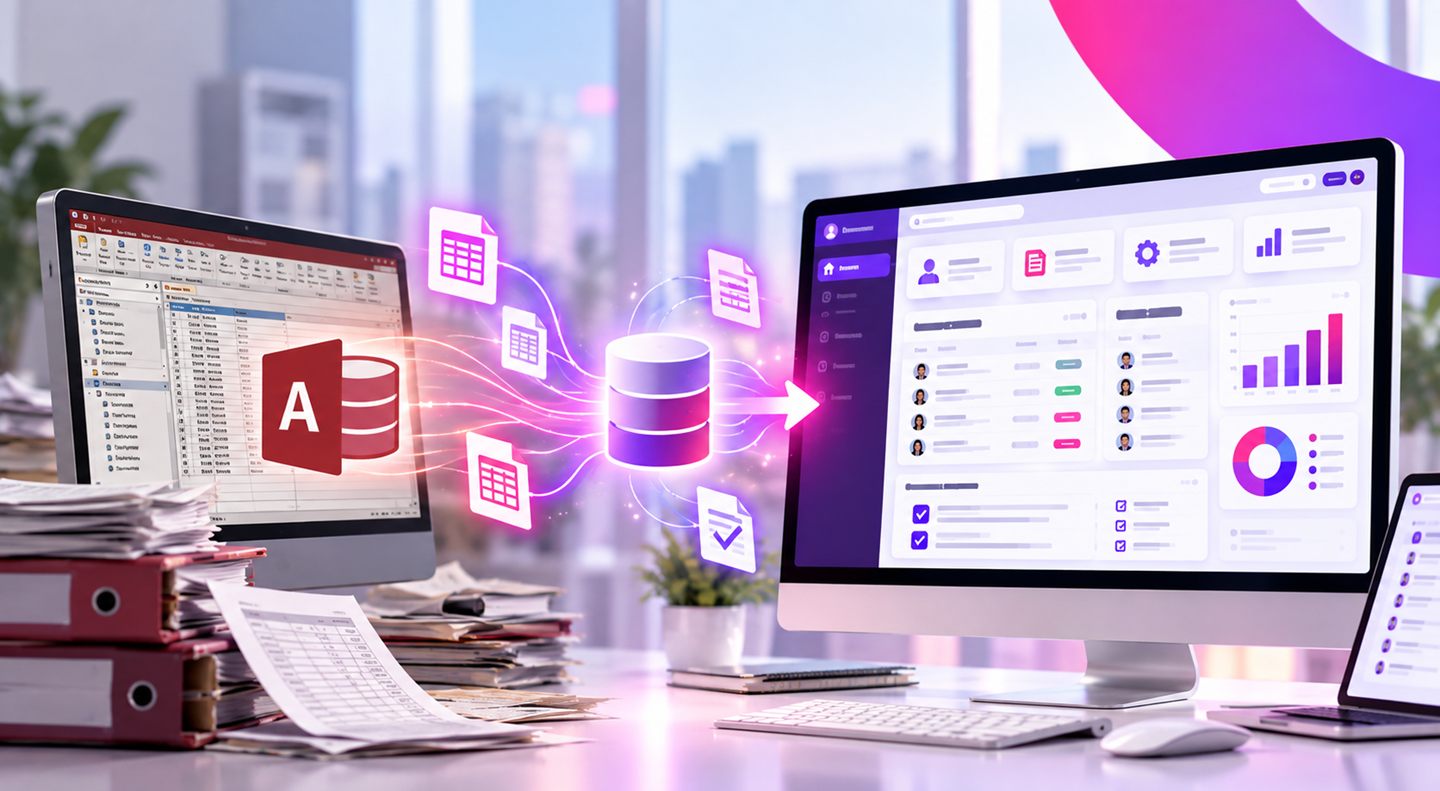
A long-running Access system is an asset - it holds years of business knowledge. But it's also a risk: dependence on an old version, difficult backups and remote access, and hardly anyone left to maintain it. We upgrade it without losing a thing.
overview
Plenty of businesses run a critical process on an Access system written years ago. It works, but it's stuck: it runs on a single computer, it's hard to back up, hard to reach remotely, and every glitch turns into an emergency because so few people know it.
We take all the logic and data inside Access and build a modern system on top of them - web-based or desktop, with a stable database, secure access from anywhere, automatic backups, and permissions. The same process, just without the risk.
what is access
Microsoft Access is a database management system from Microsoft that lets you build business applications for managing information and work processes. Using tables, queries, forms, and reports, you can build systems tailored to the needs of businesses and organizations.
Access software development lets you create solutions for managing data, automating tasks, and consolidating information from different sources. More advanced systems can also incorporate VBA code, which makes it possible to perform complex operations and tailor the software to the organization's work processes.
Common uses of Access systems include:
The main advantage of Access is the ability to develop a system tailored to specific business needs. That said, as the system grows and has to handle more complex processes, a technological upgrade may become necessary.
when to upgrade
Not every Access system needs to be replaced. When the system works well and meets the organization's needs, you can keep using it. In certain cases, however, the technological limitations begin to affect work efficiency and the business's ability to grow.
Systems built up over the years may contain complex queries, many tables, and old code that was never adapted to current work needs. As a result, simple actions can take a long time and disrupt the flow of work.
As the number of employees using the system grows, you may run into bottlenecks, data-access problems, and difficulty managing shared work. A new system can provide an infrastructure better suited to broad organizational use.
Many businesses today need access to information from several branches, from home, or from the field. An older Access system based on a local network doesn't always provide a convenient answer to these needs.
When the organization uses CRM, accounting, inventory management, or other operational systems, the need to move information between them grows. An old Access system that wasn't designed for this can make interfaces and integrations difficult.
Sometimes a system built for a specific business purpose becomes, over the years, a central system in the organization. As users, departments, and work processes are added, the need for a more advanced and flexible technological infrastructure arises.
In cases like these, upgrading the Access system can turn the technological limitation into an opportunity to improve the organization's work processes.
what's included
We preserve the years of knowledge built into the system and wrap them in modern, secure technology.
We analyze the existing tables, queries, and forms in depth.
Every record and all your history move over intact to a modern database.
Every rule, calculation, and process is rebuilt exactly as it worked.
Move to a web or modern network version, with secure work from anywhere.
Automatic backups, role-based permissions, and protection for your data.
An orderly, staged migration with training, so the team never feels a jolt.
benefits
A professional upgrade lets the organization enjoy the capabilities built up over the years, alongside the advantages of advanced technologies.
software house
Upgrading an Access system isn't just about moving tables or swapping out the user interface. Over the years, older systems can accumulate complex business processes, unique rules, calculations, reports, and relationships between data that form a significant part of the organizational knowledge.
A professional migration process therefore requires understanding the existing system and the way the organization uses it.
This is where the advantage of OLSI Systems comes in. As a software house operating since 1995 and specializing in custom software development, OLSI brings to the upgrade process experience in developing complex systems, in understanding business processes, and in choosing technological solutions suited to the organization's needs.
Rather than simply replacing the old technology, the development team examines how to preserve the important capabilities of the existing system, improve cumbersome processes, and add new capabilities as needed.
The goal isn't only to replace the Access system, but to turn the knowledge and processes built up inside it into advanced software that can serve the business well into the future.
the process
Migrating an existing system requires professional planning, especially when it's a system used for the organization's day-to-day operations.
The first stage examines the system's structure, databases, forms, reports, code, and the business processes it manages. The goal of the specification is to understand how the system works, which capabilities are important to preserve, and what challenges need to be solved.
Once needs are mapped, you can choose the technology that fits the new system. Depending on the organization's requirements, options include developing a web-based system, using an advanced database, or building a dedicated software solution.
One of the key stages in the process is moving the existing information to the new system. Beyond the data itself, you also have to address the relationships between tables, the calculations, the business rules, and the work processes defined in the original system.
The new system can include a more convenient user interface, permissions management, advanced reports, process automation, and the ability to connect to other systems.
Before switching over to the new system, you need to check the integrity of the data, the processes, and the core operations. Proper planning of the rollout helps reduce disruption to the organization's activity and makes it easier for users to adapt to the new system.
At OLSI Systems, the relationship with the client doesn't end when development is complete. We also provide professional support and technical assistance down the road, according to the needs of the system and the organization.
why olsi
We're not the biggest, and that's exactly the point. A small, experienced team that takes personal ownership of every line of code.
No middlemen and no salespeople. Fast answers and personal accountability for what we deliver.
We don't disappear after launch. Your system keeps living, improving, and growing alongside your business.
We've seen technologies come and go. We build systems that keep working long after the trends fade.
how it works
A transparent process where you see, approve, and stay involved at every stage - with no surprises along the way.
We understand your need and what's stuck today, with no commitment. You walk away with value from the very first call.
A specification document with the screens and the way it works. We go over it together and approve it before any development.
We build, test thoroughly, and show you a beta version to try before go-live.
The system goes live and starts working for you - and we're here for the road ahead with ongoing support.
upgrade or rebuild
The decision depends on the state of the existing system, the complexity of the processes, and the organization's future needs.
Sometimes you can keep working with Access and make targeted adjustments, such as improving queries or changing the database structure. In other cases, when the system struggles to support the business needs, it's worth considering a move to a new software solution.
It's important to understand that moving to a new system doesn't mean giving up everything that was built before. You can look at how to migrate the data, recreate the business logic, and preserve important processes, while improving the interface and the technological capabilities.
Through custom software development, you can create a solution based on the organization's real needs, instead of adapting work processes to the limitations of an existing system.
faq
Yes. Access is still used by businesses and organizations to manage databases and build internal applications. It can suit systems of a defined scope and certain work processes. That said, when an organization needs advanced capabilities, multi-user work, or connections to other systems, it's worth checking whether the existing system still provides a suitable answer.
Access is a work environment that combines tools for managing a database and building user interfaces, forms, and reports. SQL Server is a database management system, designed among other things to support information management in complex environments and at large scale. The two technologies can be combined, but in certain cases it's worth considering a move to a new system built on an advanced data infrastructure.
Yes. You can develop a new web system based on the data, processes, and business logic of an existing Access system. That said, this isn't an automatic conversion of an Access file into a website, but a development and migration process that includes specification, data migration, and building a new interface designed for work through a browser.
In many cases the existing data can be migrated to the new system while preserving the relationships and structure needed for business operations. The process requires examining the database, identifying potential issues, and professionally planning the migration. Before the switch, it's important to run backups and integrity checks to reduce the risk of data loss.
Yes. We recreate all the business logic so the system behaves exactly as before, alongside the new capabilities added in the upgrade.
First, you need to identify the causes of the slowness, which may include complex queries, an inefficient data structure, heavy load, or limitations in the existing infrastructure. Sometimes performance can be improved through adjustments to the system, and in other cases the right solution is upgrading the database or moving to advanced software.
There are solutions that allow remote access to Access systems, such as working through a remote server. However, the right solution depends on the system's structure and on security and performance requirements. When an organization needs flexible work from different locations, migrating to a web-based system is also worth considering.
The new system includes automatic backups, role-based permissions, and data protection at a level that wasn't possible in Access.
When the system struggles to handle growing volumes of information, many users, security requirements, or complex business processes, it's worth considering an upgrade. The decision doesn't depend only on the size of the database, but also on the system's structure, the nature of its use, and the organization's future needs.
Yes. We plan a phased transition so you keep working the whole way through.
Not necessarily. As part of the specification, we can examine which components and processes can be preserved and which parts require a rebuild. Even when a new system needs to be built, it can rely on the data, the business requirements, and the experience gained from using the existing system.
let's talk
An old Access system doesn't have to keep limiting your business activity. When the technology no longer fits the organization's needs, you can turn the existing system into the basis for a new, advanced, and custom software solution.
OLSI Systems brings to the upgrade process the advantage of an experienced software house, with advanced development capabilities, familiarity with complex systems, a direct line to the developers, and professional support even after go-live.
Working with an old Access system and want to move forward? Let's explore together the right way to upgrade your system.
Book a consultationאנחנו ב-OLSI משתמשים בעוגיות כדי לשפר את חוויית הגלישה, לנתח תנועה באתר ולהתאים תוכן שיווקי. אפשר לאשר הכל, לדחות הכל, או לבחור בדיוק מה מותר. לפרטים ראו מדיניות הפרטיות שלנו.